
Fraud
Review any flagged transactions
Generally, this information serves as a reference for the supplier. For specific inquiries about fraudulent transactions, please contact the Reach fraud team directly.
Fraud services
Access to the Fraud section and related data varies based on the services provided to the supplier.
Self-guided fraud services
Suppliers using Reach's self-guided fraud services will not see this section in their Admin Portal as Reach does not perform fraud monitoring.
Managed fraud services
Suppliers using Reach's managed fraud services can use this section in their Admin Portal as a source of reference.
Review Queue tab
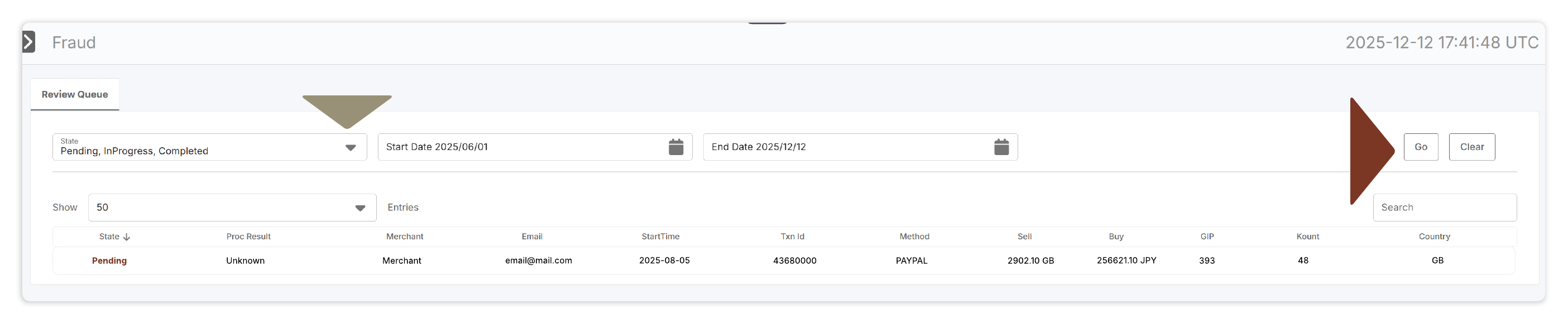
This information can be used to review any transaction flagged as potentially fraudulent.
Transactions can be filtered by state and by time period:
- State: transaction may be marked as pending, in progress, or completed.
- Date: transactions can be filtered by time period using the Start Date and End Date filters.
To view all transactions that meet the filter requirements, click Go on the right side of the page.
Updated about 1 month ago