
Chargebee guides
Chargebee is one of Reach's subscription partners, offering subscriber management and recurring billing services.
With Reach's Merchant of Record (MoR) solution, you can manage payments, ensure tax compliance, and protect against fraud, all within Chargebee's platform.
Reach's Chargebee integration flow
Your Reach representative will configure your Chargebee account with Reach's MoR solution. Integration with Reach requires little work on your part. Below is the basic onboarding flow:
Integration and testing
Your Reach representative works with Chargebee to configure your account. On Chargebee, connect the Avalara AvaTax app and your payment gateway to Reach-provided accounts and complete testing in a sandbox environment.
Move into production environment
Once all use cases have been tested and any issues resolved, Reach gives you production credentials. We will test the production credentials to ensure everything is working correctly.
Go-live
A go-live call is scheduled. On the go-live call, your Reach representative finalizes the move into a production environment. Reach monitors incoming transactions to immediately identify and resolve any issues.
Continuous support
Post-launch, Reach will provide continuous support for any issues or questions.
Connect your accounts to Chargebee
Reach will provide you with all the required credentials for your Reach-managed accounts. Connect your accounts to Chargebee by adding the provided credentials to the Avalara AvaTax app and to a payment gateway.
Connect the Avalara AvaTax app to Chargebee
Reach calculates, withholds, remits, and files taxes in each taxable region using Avalara. Connect the Avalara app to Chargebee by adding your Reach-provided credentials.
SKU management
For accurate tax calculations, Reach requires a list of your product SKU codes for both digital and physical products. You may use Reach's SKU list template to document your SKUs. Send the list to your Reach representative and notify Reach of any changes to your SKU codes to maintain compliance.
Add a payment gateway to Chargebee
To start transacting with Reach's MoR solution, add a payment gateway to Chargebee using your Reach credentials.
Select the relevant gateway below for instructions:
Complete your Chargebee integration
After connecting your accounts, your Reach representative will instruct you to complete a few tasks before the go-live call. Click on the tabs below for details on what you will need to complete:
Complete transaction testing
Reach provides you with sandbox credentials for testing. Use them to test payment scenarios such as:
- Payment authorization and capture
- Full and partial refunds
- Tax transaction creation
Send your test transactions to your Reach representative. Your Reach representative verifies that the data is present and correct in the sandbox environment.
Provide contacts to your Reach representative
Provide your Reach representative with email addresses for three contacts:
- a main contact
- a fraud contact
- a chargeback contact
Reach notifies your contacts with important information about your transactions, so ensure these email addresses are up to date and monitored.
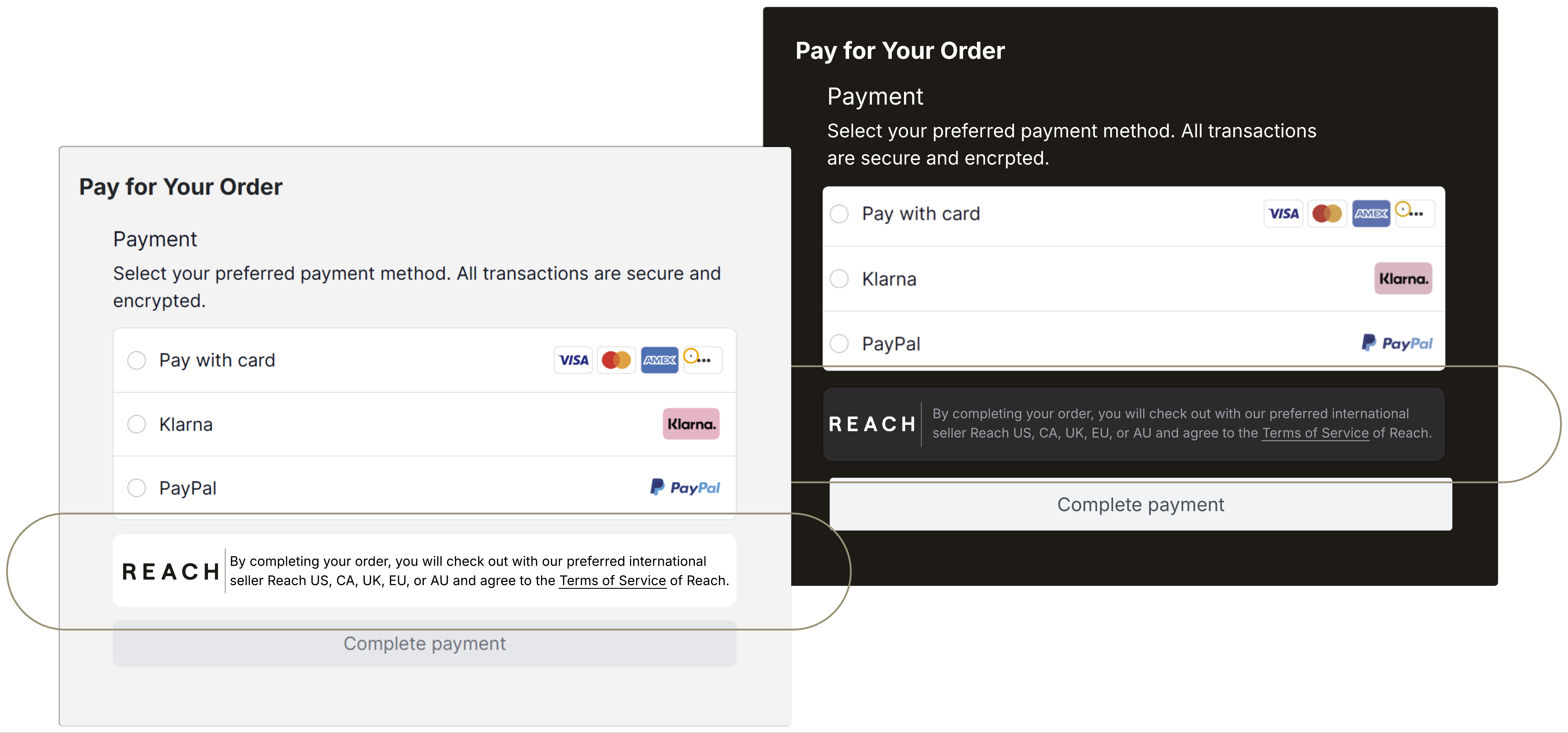
Verify the Reach badge is on display at checkout
Where Reach is your MoR, your checkout will display the Reach badge as required by the card schemes. Chargebee will automatically add the Reach badge to your checkout for Reach transactions by enabling the sync gateway transaction ID to Avalara feature flag. Ensure the badge is visible on your checkout before going live.
Updated about 2 months ago