
Reach reports and data share
Explore Reach's data share options and reports
About Reach data sharing
Reach currently offers two methods for accessing your Snowflake data, with six core datasets to explore and query.
About Reach reports
Reach generates daily and monthly reports of your business's transactional data for reconciliation, analysis, and accounting purposes. The reports provide a complete, line-by-line view of your account's transactions for a select settlement period.
Select a report to learn how it is created, when it is generated, and what information it provides:
When completing reconciliation, it is best to rely on Reach reports over other settlement statements. Our reports contain fees specific to Reach and other relevant fees that other settlement statements will not include, resulting in incomplete data.
Download a report
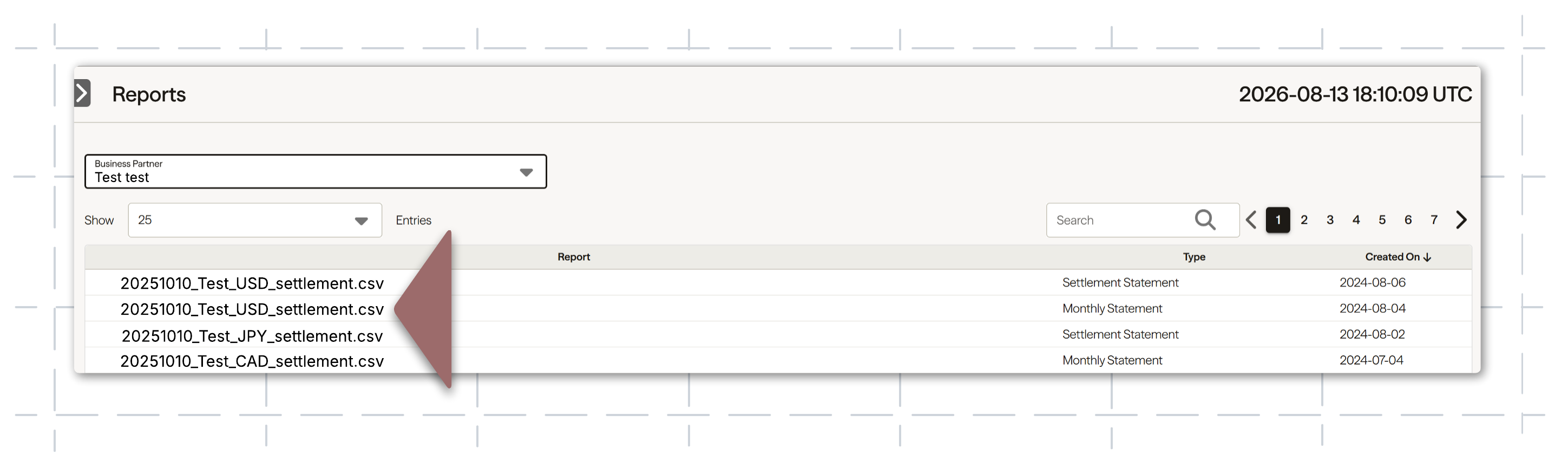
Suppliers export reports through the Reach Admin portal.
To export a report, complete the following steps:
- Click Reports in the left navigation pane.
- If required, filter the reports by selecting a business from the Business Partner dropdown list.
- If required, filter the reports using the Search field.
- Click a settlement report name to download it. The report will be in your computer's download folder. Settlement reports are in CSV format.
How to identify chargebacks on your reports
A chargeback occurs when a customer challenges a transaction, potentially resulting in the funds being returned to the customer. For an in-depth description of chargebacks and how they work, review the Reach chargeback and disputes guide.
To identify chargebacks and their associated fees, you will need to cross-reference the LINE TYPE column with the NOTES column. All chargeback-related items are broadly categorized as an adjustment in the LINE TYPE column. However, because other items also use this type, you must verify the reason in the NOTES column.
Chargeback indicators
When the LINE TYPE is set to adjustment, look for the following values in the NOTES column to determine the exact nature of the line item:
If the LINE TYPE value is an adjustment but the NOTE column doesn't contain one of the values above, the line item is not a chargeback. For instance, the values below indicate that the adjustment is not a chargeback:
- Refund Adjustment
- Shopify Transaction adjustment
- Marketplace Sales Tax
Updated 3 months ago