
Checkout.com
Integrate Reach into the Chargebee platform through Checkout.com
Reach integrates with Checkout.com through Chargebee's subscription management platform, providing businesses with a subscription management solution. This integration streamlines billing and offers various payment options.
Your Reach representative will provide you with credentials for your Checkout.com account through Reach. If you have not received your configured Checkout.com account, contact [email protected] or your Reach representative.
Add the Checkout.com gateway to Chargebee
To begin using the Reach MoR solution, add the Checkout.com gateway to Chargebee using your Reach credentials.
Chargebee's Checkout.com documentation has detailed information on their Checkout.com gateway.
Ensure that the steps below are complete, as they are specific to Reach's integration with Chargebee. Follow the instructions to add the Checkout.com gateway to Chargebee:
- Sign in to Chargebee.
- Select Payments from the side navigation and select Payment gateways.
- Click the + Add Gateway button in the upper-right corner.
- Click Checkout.com.
- Enter the credentials provided by your Reach representative.
- Click Connect.
- Return to the Payment Gateways page and click Checkout.com.
- Click the Manage link.
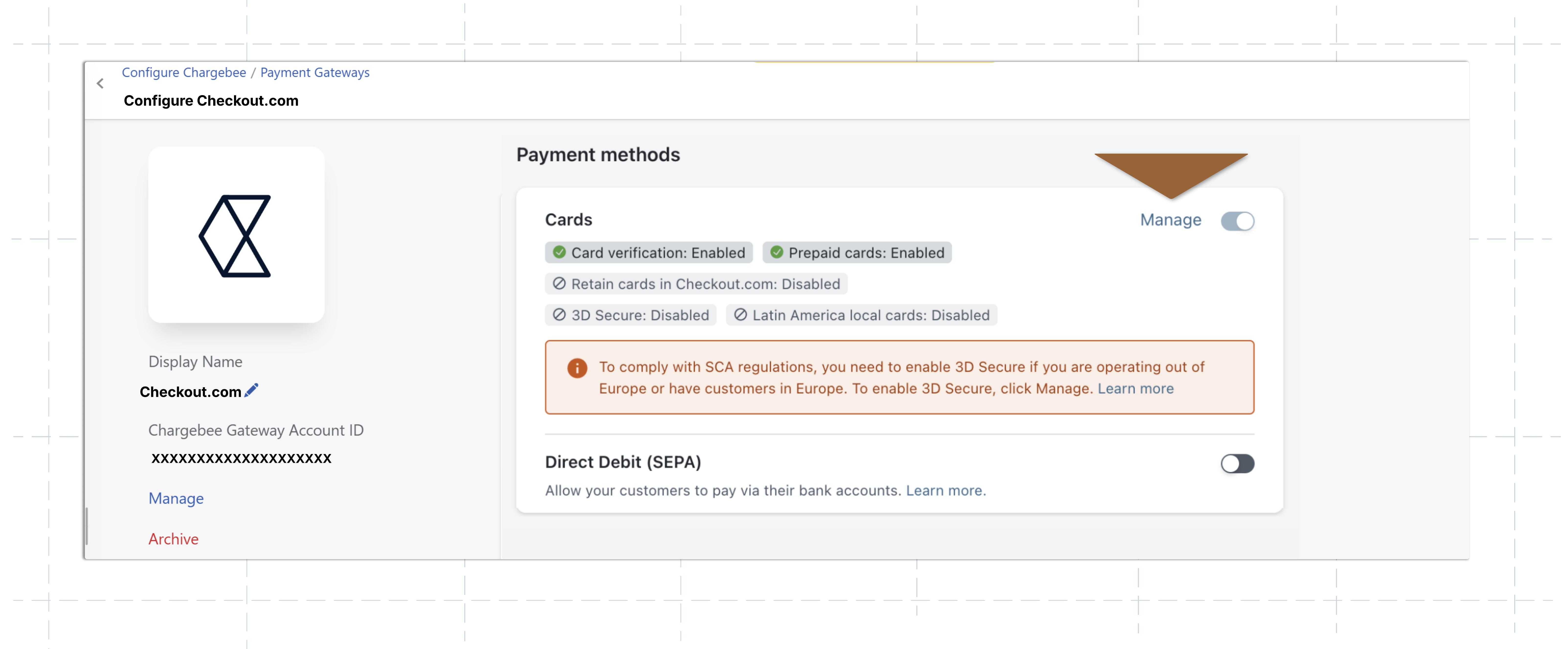
- Toggle on Enable 3D Secure and click Save.
- Under Payment methods, enable each configured payment method in your gateway and complete the required fields.
- Click Save.
- Copy the notification URL in the Notification URL field. Send it to your Reach representative.
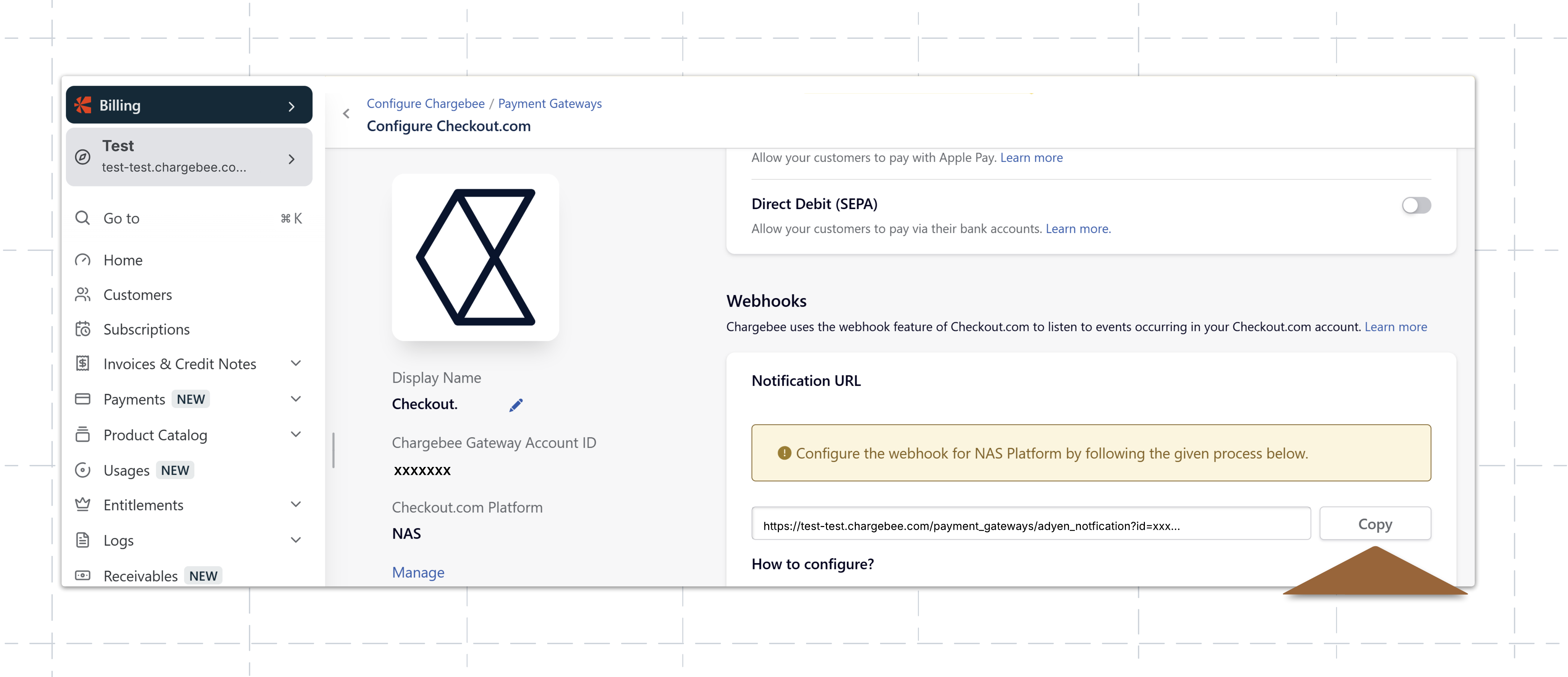
After sending the notification URL to your Reach representative, you will have successfully connected your Reach-provided Checkout.com account to Chargebee.
contact your Reach representative or our support team at [email protected].
Updated about 2 months ago