
Checkout.com
Integrate Reach on your Recurly platform through Checkout.com
Reach integrates with Recurly via Checkout.com’s payment processing platform to support recurring subscriptions, one-time payments, and 3D Secure authentication for most currencies.
Configure Checkout.com in Recurly to process global payments—including credit cards, Apple Pay, and Google Pay.
Your Reach representative will provide you with credentials, supplier accounts, and custom endpoints for your Checkout.com account through Reach. These are required to complete the following steps. To receive your configured Checkout.com account, contact [email protected] or your Reach representative.
Add the Checkout.com gateway to Recurly
To begin using the Reach MoR solution, add the Checkout.com gateway to Recurly using your Reach credentials.
Recurly provides documentation for configuring the Checkout.com gateway on their Checkout.com page.
The instructions described on this page are specific to Reach's integration. Follow the steps below to add the Checkout.com gateway to Recurly:
- Sign in to Recurly.
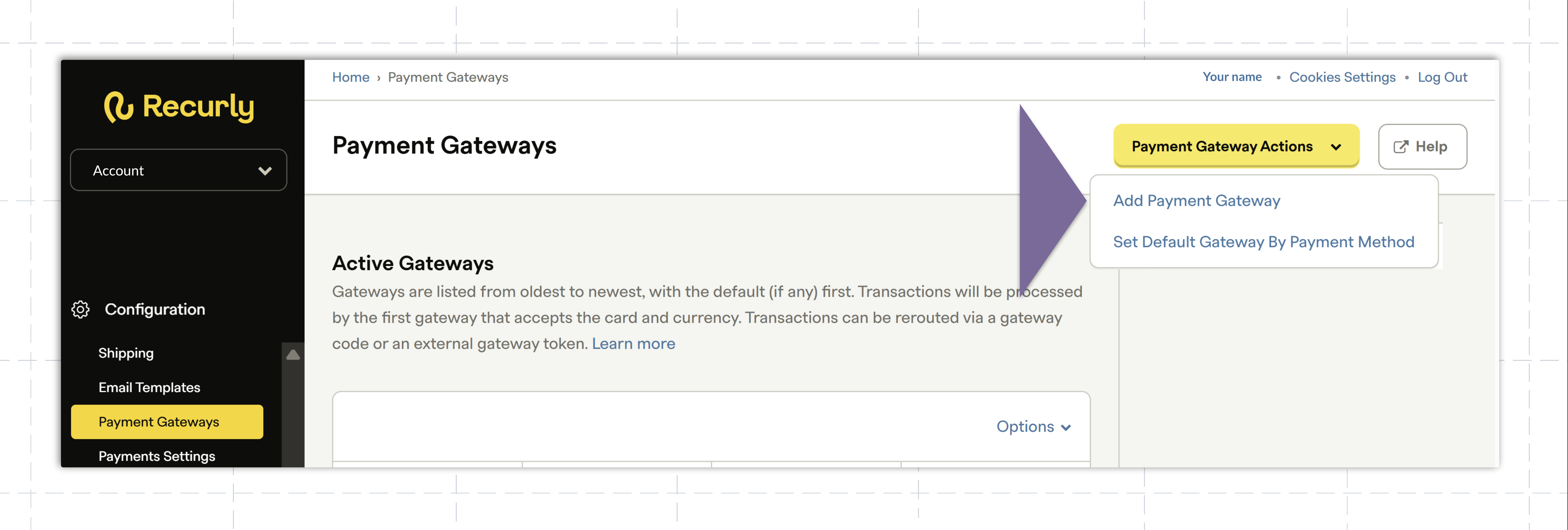
- From the side navigation menu, select Configuration, then Payment Gateways.
- Click Payment Gateway Actions and select Add Payment Gateway from the drop-down menu.
- Select Checkout.com from the list of gateways.
- On the Add Checkout page, fill in the fields under Checkout Credentials using the information your Reach representative provides:
- Under Accepted Currencies, add the currencies you have been approved to process.
- If required, enable 3D Secure by selecting the checkbox next to Enable 3D Secure. Fill out the required fields using the information your Reach representative provides.
- Select Add Payment Gateway to save your configuration. The Checkout.com gateway is now available.
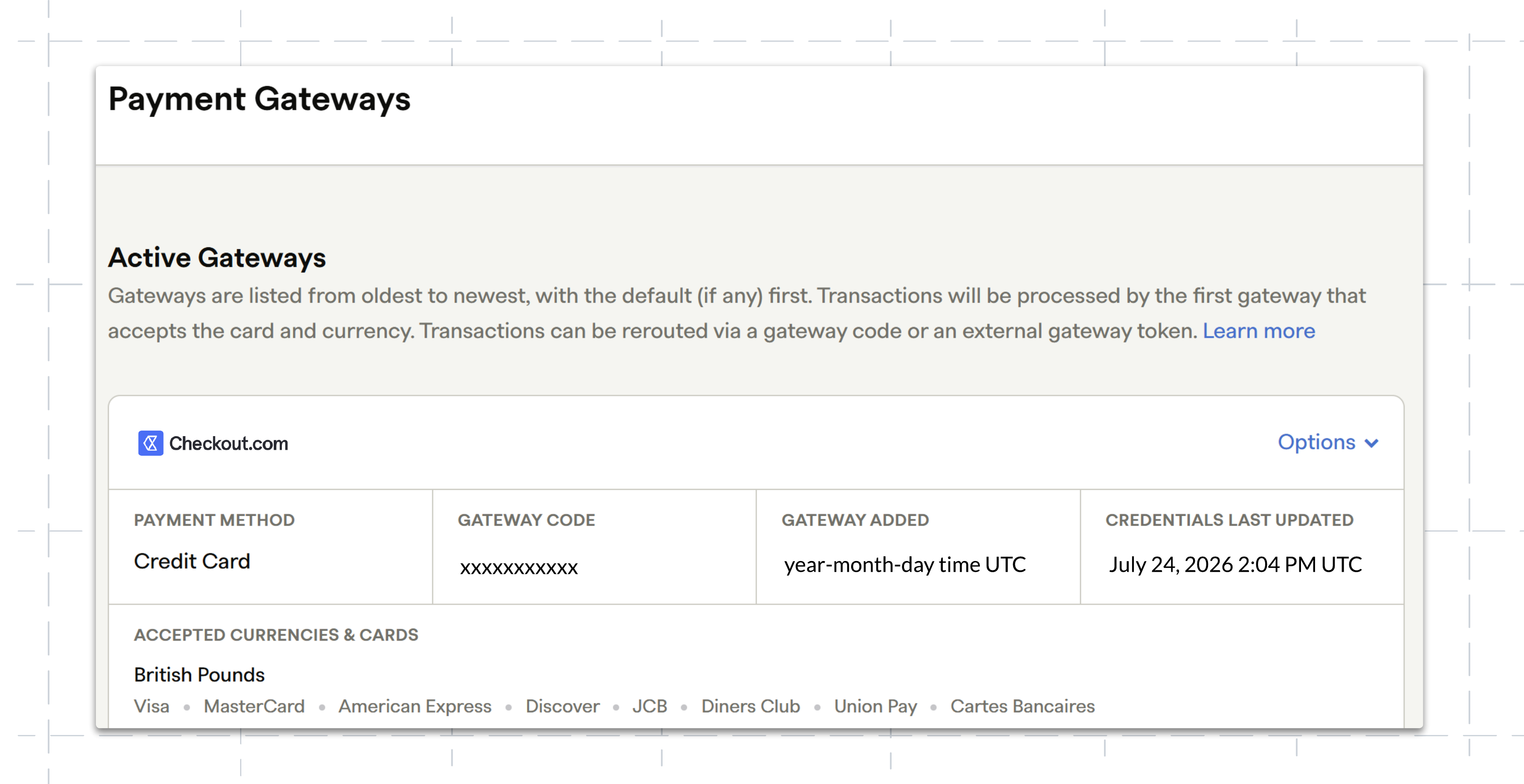
You have successfully configured your Reach-provided Checkout.com account with Recurly.
contact your Reach representative or our support team at [email protected].
Updated about 1 month ago